


Know when to follow up
See the moment a proposal is opened and which sections get read, instead of guessing.
Send fully customisable web proposals with your branding, services and pricing. strively shows you when a proposal is opened and which sections the prospect reads, so you know exactly when to follow up.
25 proposals a month on Automate, 50 on Report and unlimited on Team.
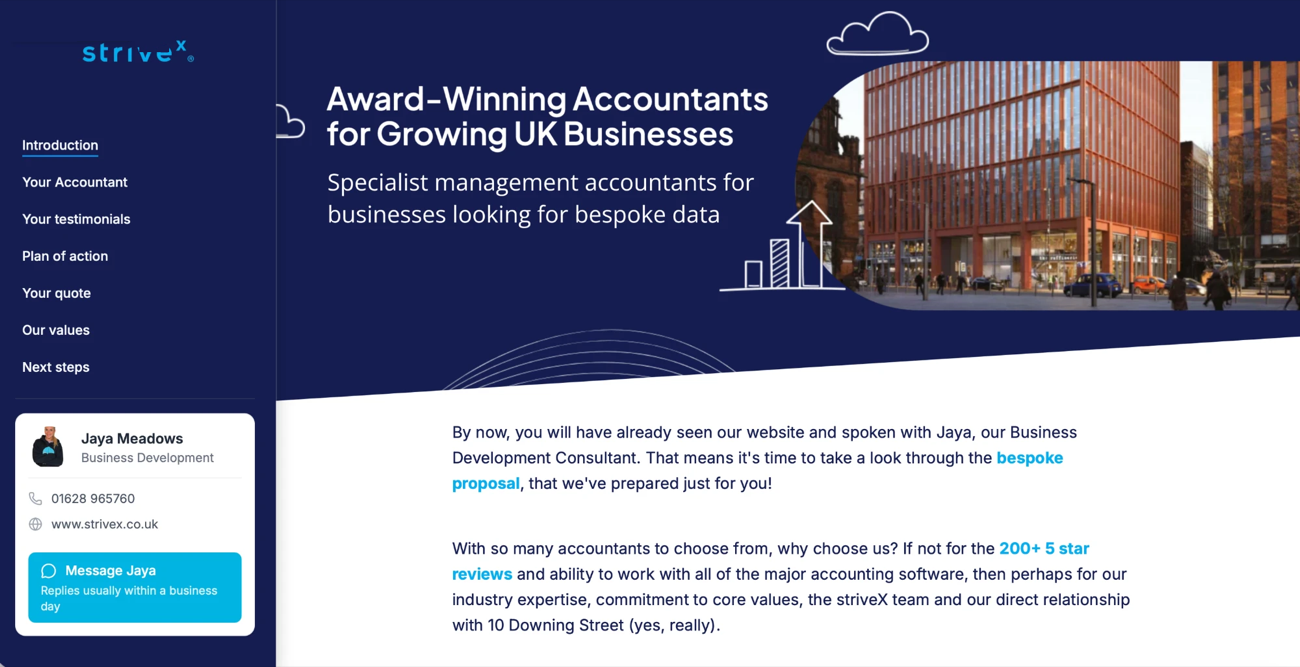
A web proposal is a proposal sent as a secure link to a branded web page, rather than a PDF attachment. The prospect reads it in their browser, and you can see when it's opened and which sections they spend time on. In strively, the prospect accepts it online and moves straight on to signing the engagement letter.
See the moment a proposal is opened and which sections get read, instead of guessing.
Every proposal carries your branding, services and pricing, and looks great on any device.
Prospects accept online in a few clicks, with no printing, scanning or emailing back.
From discovery call to accepted proposal, in one place.
Set up your branding, services and pricing once, and reuse them for every proposal.
Adjust services and fees for each prospect, then send a secure link.
See when the proposal is opened and which sections are read.
The prospect accepts in their browser and moves on to signing.
Your proposals look like your practice, not a template, and work on any screen.
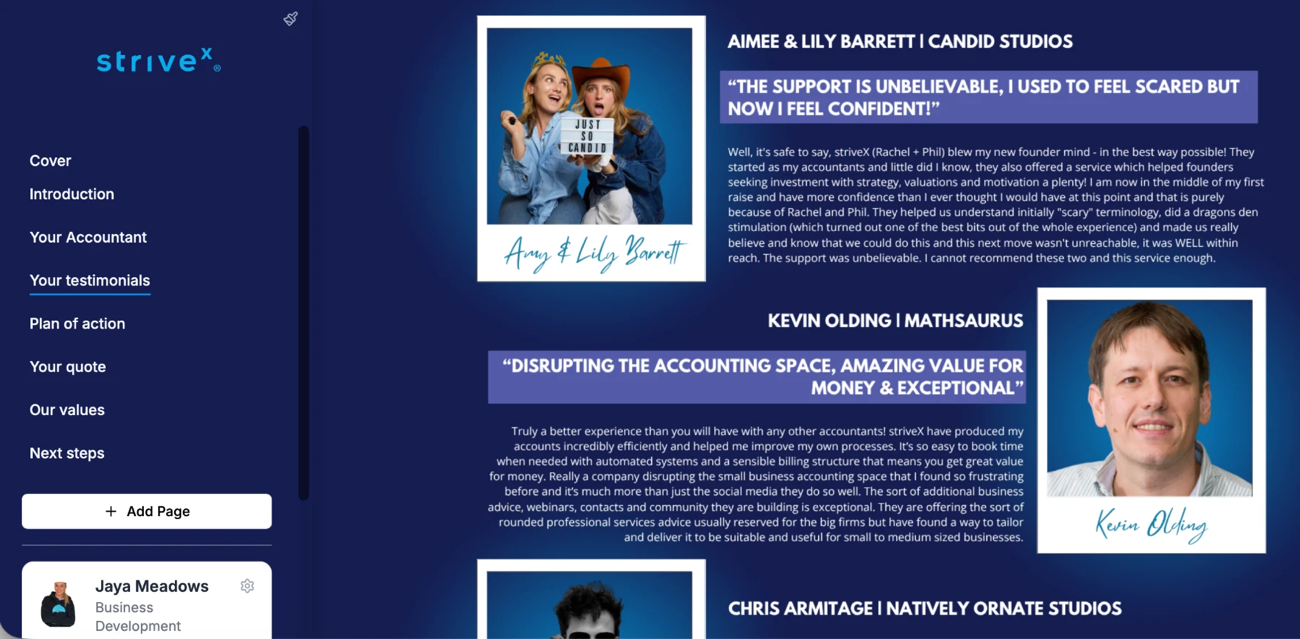
Section-by-section tracking shows you what a prospect cares about before you pick up the phone.
Engagement · Hartley & Co Ltd
An accepted proposal doesn't stop there. The engagement letter, AML checks and direct debit set-up follow.
After acceptance
Show each prospect exactly what they're getting, in a format they'll actually read.
Set out accounts, tax and advisory services clearly, with fees the client can see at a glance.
Example: annual accounts, corporation tax and payroll in one proposalAgree monthly scope in a proposal clients can't misread, so scope doesn't creep.
Example: monthly bookkeeping and VAT returnsQuote clearly for payroll, pensions and auto-enrolment.
Example: payroll for 15 employees plus pension submissionsPresent specialist work professionally, and see when the prospect has read the fee.
Example: R&D claim with a clear fee structureMany tools only tell you whether a proposal was opened, and some use a set template you fill in. strively proposals are fully customisable and tracked section by section.
Checked October 2026 against each tool's published information. Follow a row for the full comparison.
Every strively feature hands over to the next, from first enquiry to onboarded client.
A web proposal is a proposal sent as a secure link to a branded web page rather than a PDF attachment. You can see when it's opened and which sections are read, and the prospect accepts it online.
With a PDF you can't see whether it's been opened or read. A web proposal shows you when the prospect opens it and which sections they read, works on any device, and can be accepted in a few clicks.
Yes. strively notifies you when a proposal is opened and shows how long the prospect spent on each section.
Automate includes 25 proposals a month, Report includes 50 and Team includes unlimited proposals.
The prospect moves straight on to e-signing the engagement letter, followed by AML checks and direct debit set-up through Adfin.
A 30-minute demo, tailored to your firm, using the kind of enquiries you get every week.
Book a demo