

Client onboarding software features
Everything strively does for UK accountancy practices, from the first enquiry to a signed, onboarded client. Every feature is on every plan, apart from pipeline reporting.
Plans from £110 a month.

What is client onboarding software?
Client onboarding software automates the steps between a new enquiry and a client you can start work for: screening the enquiry, booking a discovery call, sending a proposal, signing the engagement letter, collecting documents, running AML checks and setting up a direct debit. strively does all of these for UK accountancy practices, so new clients onboard themselves while your team gets on with the accounting.
Everything you need to win and onboard clients
Choose a feature to see it in action.
Embed a form on your website. strively checks each enquiry against your rules and accepts or declines it automatically.
Explore enquiry forms →In busy periods like January, enquiries are still screened, prospects get your custom message and they join a separate list to contact.
Explore the waitlist →Accepted prospects book straight into the right person's Google or Outlook calendar.
Explore meeting booking →Booking confirmations, meeting reminders, lead follow-ups and proposal chasers, sent for you.
Explore automated chasers →Fully customisable proposals that aren't PDFs, with tracking that shows which sections each prospect reads.
Explore web proposals →Clients accept the proposal and sign the engagement letter online, with no printing or scanning.
Explore e-signatures →UK-format engagement letters and terms of business, built from the services the client has chosen.
Explore engagement letters →Custom questions and file uploads, sent automatically once the proposal is accepted, so you have everything before the work starts.
Explore document collection →Checks run in AML HQ, where each client's results and records are kept together.
Explore AML checks →New clients are added to your Adfin direct debit mandate as soon as they sign up.
Explore direct debit mandates →Conversion at every stage, where deals stall and how each team member is performing.
Explore pipeline reporting →
Automatically accept and reject enquiries based on your rules.
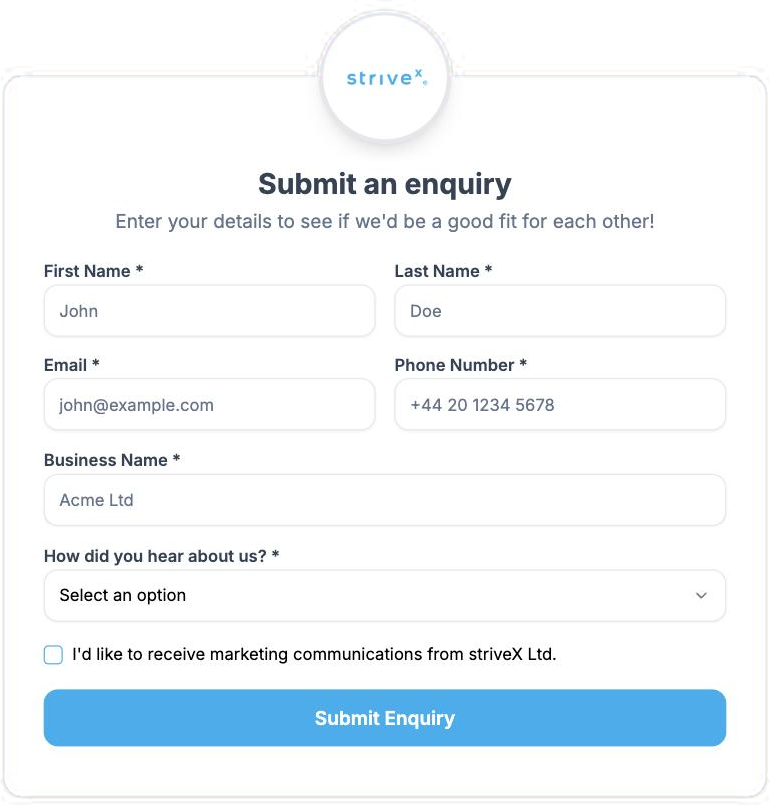

- Your brandingAdd your logo, colours and background.
- Flexible questionsChoose the fields you need.
- Multiple question typesText, dropdowns, numbers, checkboxes and more.
- Fully customisableTailor the form to your firm and your clients.
- Your logoUse your firm's brand and identity.
- Your coloursMatch your brand with custom backgrounds.
- Question optionsDropdowns, multi-choice, checkboxes, numbers and more.
Pause your enquiries but keep their contact details.
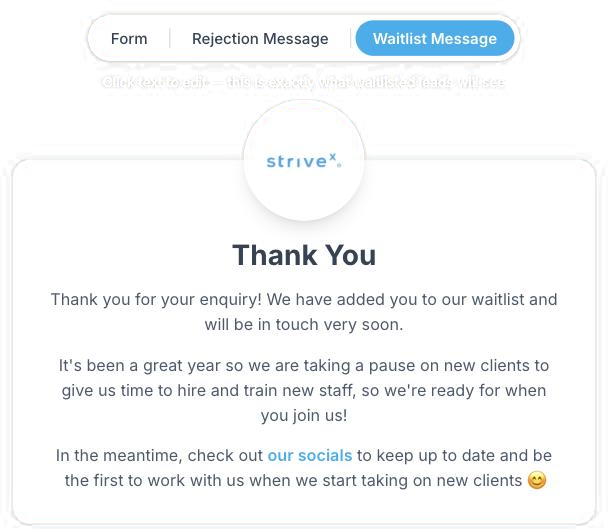

- Manage new leadsIn line with your team's growth.
- Personalise messagesTo suit your firm.
- Include linksTo your website and socials.
- Turn on and offWith a simple toggle.
- Customisable logoUse your firm's logo and brand identity.
- Customisable coloursMatch the message to your brand.
- Customisable wordingTailor the message to your firm, including links to your website and socials.
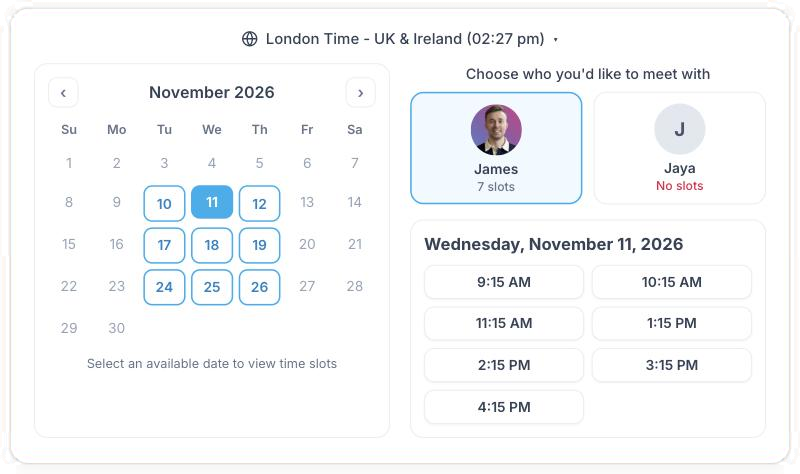
Qualified leads booked straight into the right person's calendar.
- Book straight into calendarsQualified leads are booked in instantly, with no back and forth.
- Microsoft & Google integrationsConnect your existing Outlook or Google calendars in seconds.
- Direct to specific peopleLet leads book with the right person or team (e.g. James or Jaya).
- Block out availabilityKeep control of your time by blocking dates, setting availability and adding time between meetings.
- Multiple usersAdd your whole team so leads can book with the right person.
- Works across time zonesShows the right times for your leads, wherever they are.
- Instant booking confirmationLeads see available times and can book as soon as they complete the form.
Automated chasers and reminders.
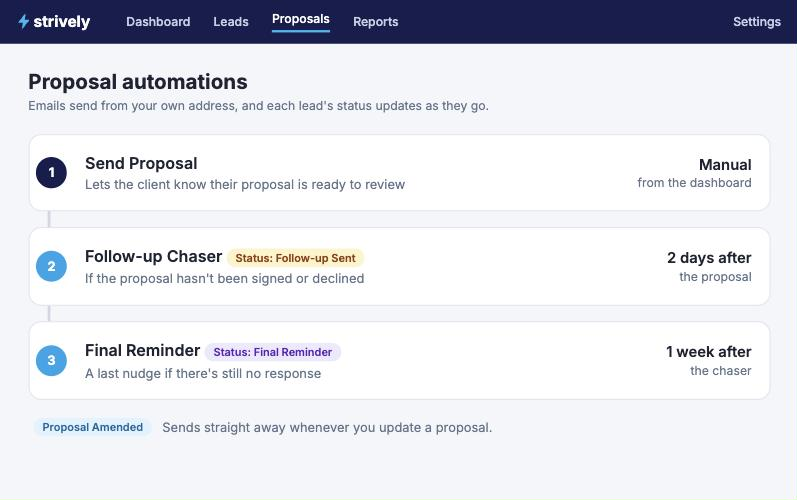
- Email templatesAutomate reminders with your own templates.
- Sent from your addressEmails come from your own email address, so it's always your brand.
- Shown in your dashboardReminders appear in your dashboard, so you know what's coming up.
- Statuses update themselvese.g. Proposal Sent, Follow-up Sent, Final Reminder.
- Your wordingTailor the wording and templates to match your brand and tone.
- Your timingsSet when each reminder is sent, e.g. 2 days, 1 week or whatever works for you.
- Final call remindersAutomatically send a final follow-up to help you get a response and keep deals moving.
Fully customisable proposals you can edit and view in real time.
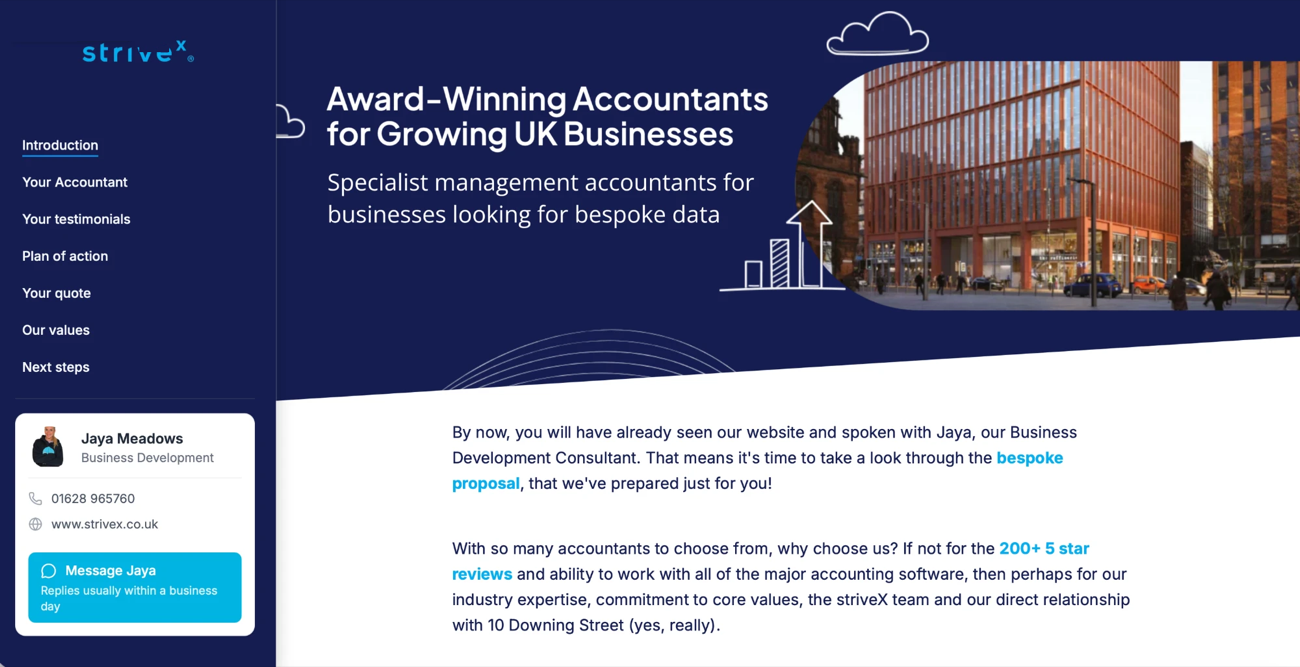

- HTML proposalsWeb proposals your clients open straight in their browser.
- No more PDFsNothing to download, attach or print.
- See when viewedKnow when a client has opened their proposal.
- Amend in real timeMake changes and your client always sees the latest version.
- Upload imagesAdd photos of your team, your office and your work.
- Embed videosInclude a welcome video or a walkthrough.
- Include URLsLink to your website, reviews and more.
- Customise fonts and coloursMatch every proposal to your brand.
Electronically signed proposals and legal documents.
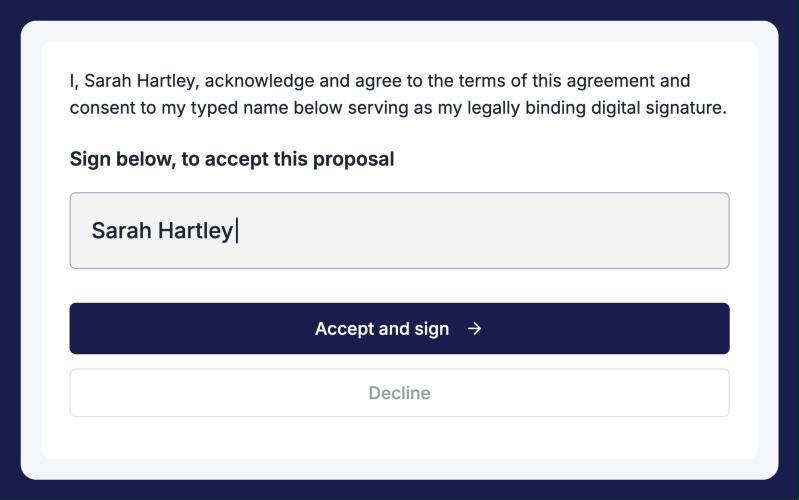

- Automate proposal signaturesClients sign their proposal online.
- Automate letter of engagement signaturesClients sign their letter of engagement online.
- Automate custom legal documentsGet your own legal documents signed online.
- Customise coloursMatch the signing page to your brand.
- Customise locationChoose where the signature goes.
- Customise number of signatoriesSet how many people need to sign.
Fully customisable legal documents, available as soon as the proposal is signed.
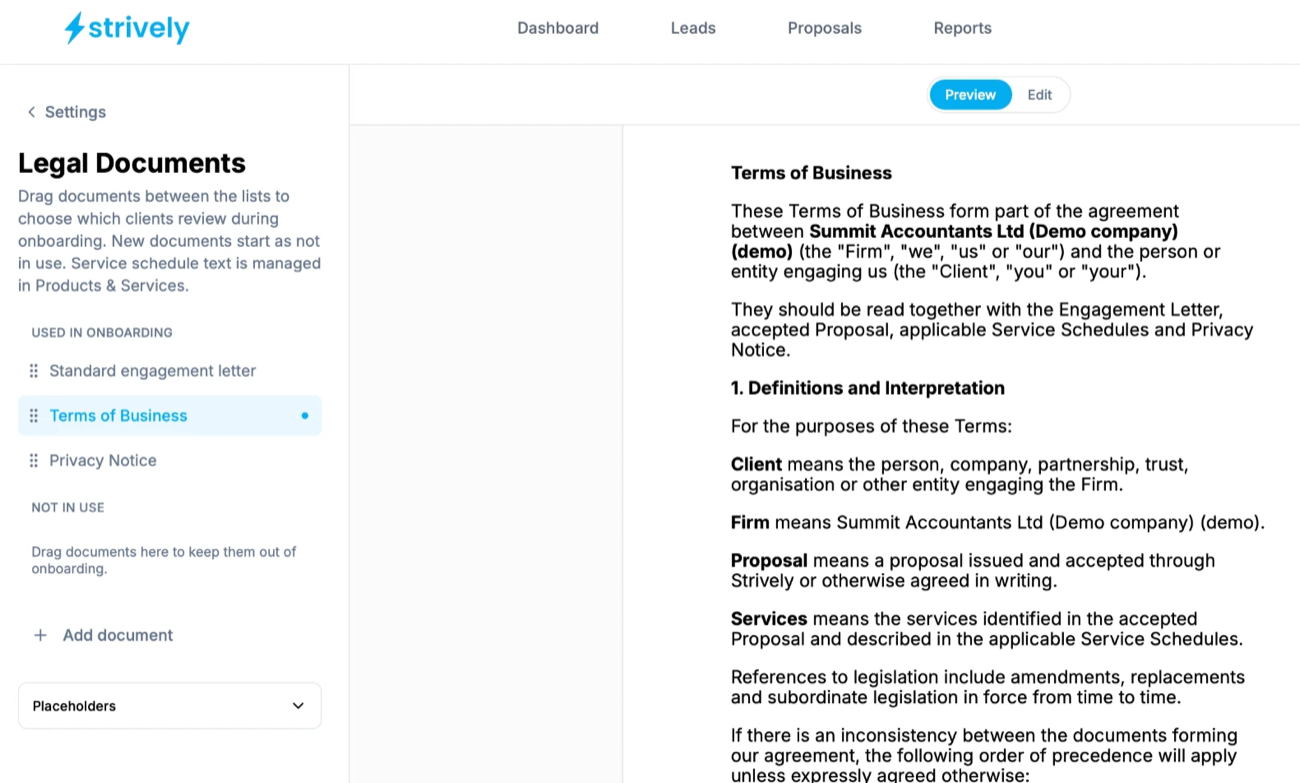

- Create as many documents as neededAdd every document your clients need to review.
- Use variables to pull in dataPlaceholders fill in client and firm details for you.
- Service schedules built from the product catalogueService schedule text comes from your Products & Services.
- Separate documents for different businessesKeep the right documents for each business.
- Engagement lettersYour standard engagement letter, ready to go.
- Terms of businessSet out your terms once and reuse them.
- Privacy policiesShare your privacy notice with every client.
Create custom information requests, text or documents.
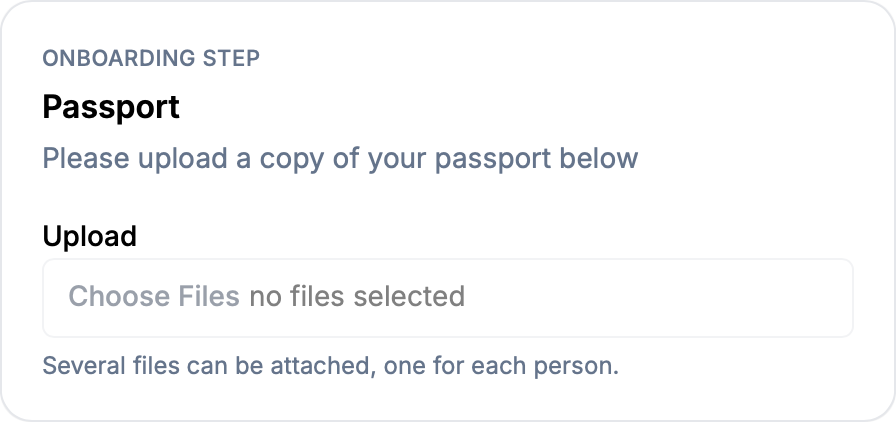

- Add as many forms as you needBuild a step for everything you need from a client.
- Request copies of documentsClients upload files straight into the step.
- Request answers to questionsAsk for the information you need as text.
- Customise descriptionsTell clients exactly what to provide.
- Custom titlesName each step your way.
- Automate info requestsRequests go out as part of onboarding.
- Systemise the onboarding processEvery client gets the same steps, every time.
Integrate with AML HQ or manually request the info you need.
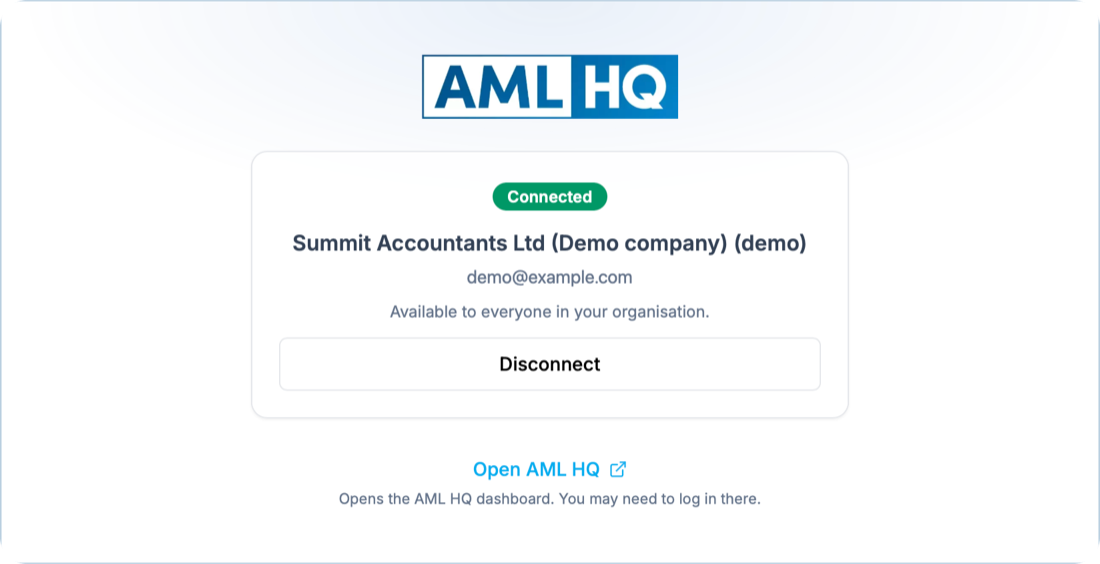

- Integrate with AML HQConnect your AML HQ account to strively.
- Biometric checksIdentity checks through AML HQ.
- PEPs and sanctionsScreening through AML HQ.
- Or request info manuallyUse the document request form instead.
- Included in the client's onboardingAML sits in the client's onboarding steps.
- Automate the processRequests go out as part of onboarding.
- Save time requesting documents by emailNo more chasing documents over email.
Connect to your favourite Direct Debit mandate providers.
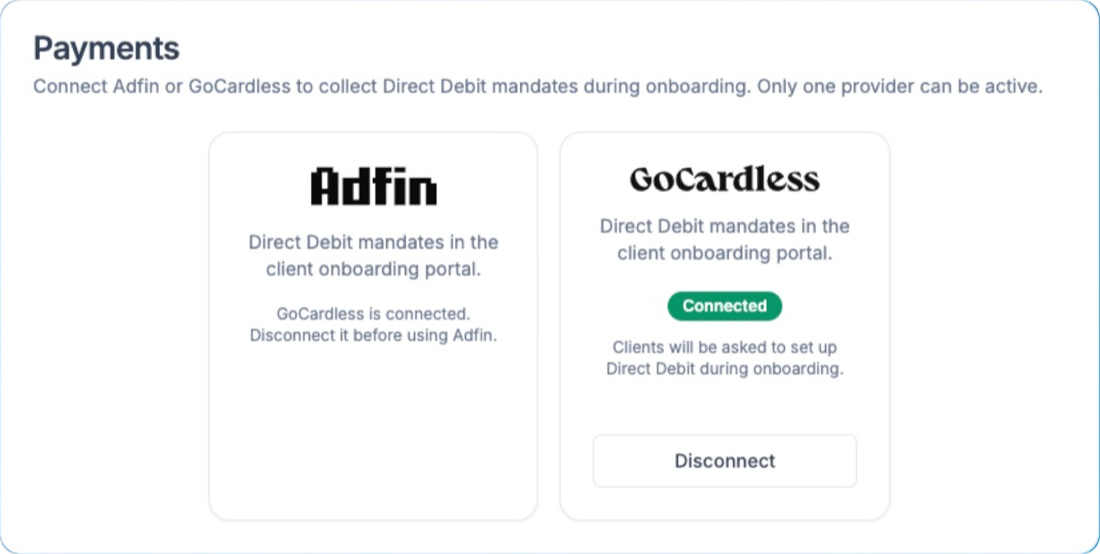

- Automate Direct Debit set-upClients are asked to set up Direct Debit during onboarding.
- Your favourite providersConnect Adfin or GoCardless.
- More integrations comingMore providers are on the way.
- Improve cashflowHave mandates in place from day one.
- Adfin and GoCardless also connect to your accounting softwareBoth providers link up with your accounting software.
- Make sure your invoices get paid on timePayments are collected by Direct Debit.
- Included in the automated onboarding flowMandates are part of the client onboarding portal.
View the progress of your enquiry from start to finish.
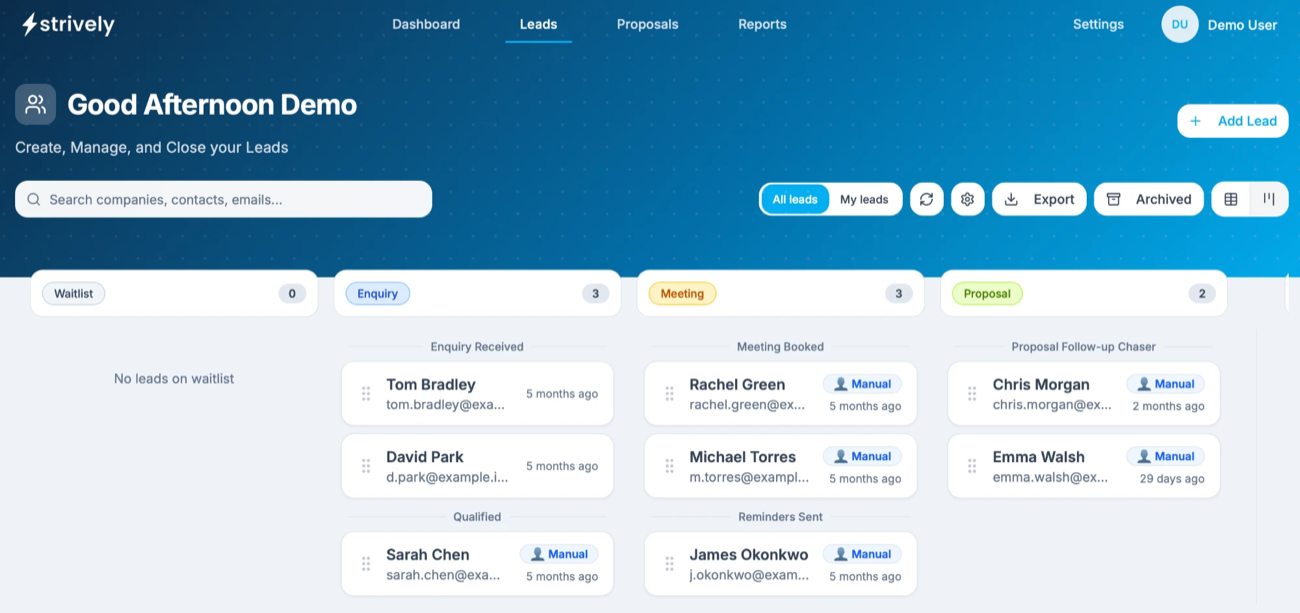

- Updated automaticallyEach lead's stage updates as it moves through your process.
- View as a list or kanban styleSwitch between a table and a board.
- Drag and drop leadsMove leads between stages.
- Search and exportFind any lead and export your list.
- View all leads or just yoursSwitch between All leads and My leads.
- Archive old leadsKeep your board clear of old leads.
- Add new leads manuallyAdd leads that didn't come through your form.
Works with the tools you already use
Four integrations, on every plan.

Google Calendar
Prospects book discovery calls straight into the right person's calendar.

Microsoft Outlook
The same automatic booking for teams on Microsoft 365.
I love the tools you already use!

Adfin
New clients join your direct debit mandate as they sign up. Needs your own Adfin account.

AML HQ
AML checks and risk assessments as part of onboarding, with its own monthly charge.
Built for your type of practice
How strively fits the clients you take on.
What makes strively different
Most tools help you send a proposal or bill a client. strively automates the whole of onboarding.
Screens every enquiry for you
Enquiries are accepted or declined against your own rules before anyone reads them, so your team only meets the clients you want.
A waitlist for busy periods
Keep good-fit enquiries warm through January instead of turning them away. We haven't found another onboarding tool with one.
One tool from enquiry to direct debit
Screening, booking, proposals, engagement letters, documents, AML checks and direct debit set-up, without stitching tools together.

45 hours of onboarding admin saved every monthat striveX, the accounting firm where strively was built, with 20% of enquiries screened out before anyone reads them.
Read the story →Frequently asked questions
Yes, apart from pipeline reporting, which comes with the Report and Team plans. The plans differ in the number of proposals a month (25 on Automate, 50 on Report and unlimited on Team) and in users (2, 2 and 10). AML checks run in AML HQ, which has its own monthly charge, and direct debits need your own Adfin account.
No. strively adds new clients to your Adfin direct debit mandate as they sign up, but it doesn't send invoices, run recurring billing or take payments. You keep your existing billing for that.
No. strively integrates with Google Calendar and Microsoft Outlook for meeting booking, Adfin for direct debit set-up and AML HQ for AML checks.
AML checks are part of every onboarding and run in AML HQ, where each client's results and risk assessment are kept together. AML HQ works with every plan and has its own monthly charge, rather than a charge per check.
Yes. Prospects book discovery calls straight into the right person's Google Calendar or Microsoft Outlook calendar, with confirmations and reminders sent automatically.
Turn on the waitlist. Enquiries are still screened against your rules, good-fit prospects get your custom "we'll be in touch" message, and they join a separate list for you to contact when you're ready.
Yes. Proposals are web pages, not PDFs, with your own branding, services, pricing and wording. You can see when each one is opened and which sections the prospect reads.
See every feature with your own enquiries
A 30-minute demo, tailored to your firm, from the first enquiry to a signed client.
Book a demo